Edit PDF Pages processes documents on your device. Reopening the app without access to its server is a separate matter: the browser still needs the software files, and the app does not install an offline copy.
Where does the PDF go?
The PDF you select is opened and processed in the browser. Rendering, edits, English OCR, extraction and exports run there; Edit PDF Pages has no document-upload service. The PDF engine, fonts, OCR model and compression engine are served with the app.
Optional Google Analytics measures visits after you choose Accept all. Google receives visit and device information; our analytics does not include files, filenames, document text or edits. Choose Reject optional to keep using all the tools without analytics, or change your choice in Cookie settings.
You can inspect a session with a fictional document and your browser's network panel. Open the panel before loading the workspace, then watch the requests while opening, recognizing and exporting the sample. Read the request details: downloading software assets is different from uploading a document. The observation covers the version and workflow you inspect.
What needs a connection?
A hosted copy needs access to its server to load HTML, styles, scripts and supporting assets. Some tools load their dependencies when you use them: OCR needs its worker and English model, and compression loads a separate local engine. A working tab does not establish that every tool is ready without another asset request.
The browser may cache files, but Edit PDF Pages has no service worker to manage offline loading. Reopening a hosted page with no connection is therefore not a supported guarantee. MDN explains the service-worker approach to offline experiences if you want the technical background.
A complete copy of the app can instead be served by a local HTTP server on your own computer. That supplies the files locally. Double-clicking the HTML file is not a reliable substitute, because browser modules and workers need the serving environment.
Which copy keeps the work?
| Copy | What to expect |
|---|---|
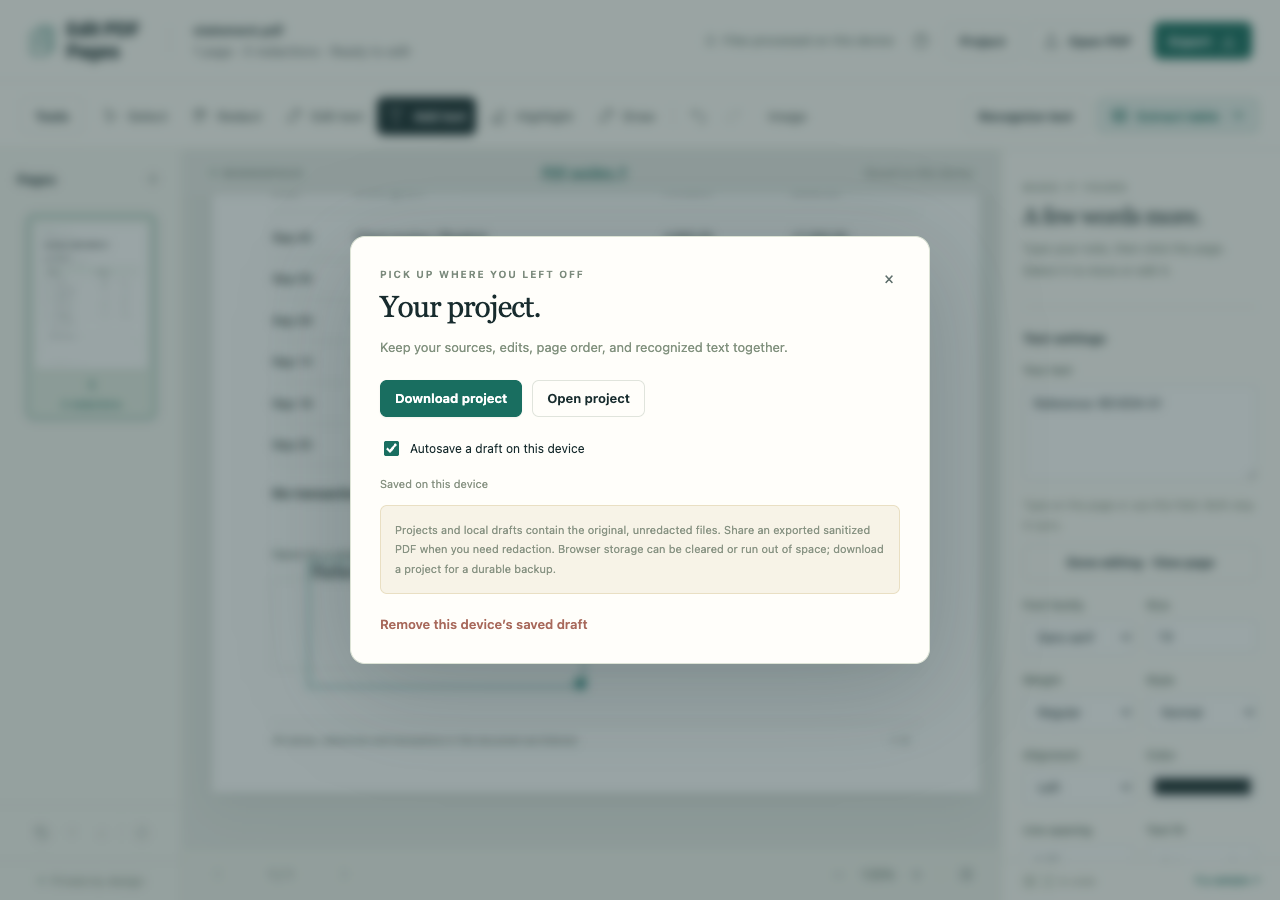
| Local draft | Autosave in this browser. Wait for Saved on this device; reopening can offer Resume. |
| Downloaded .folio project | A portable editable copy containing source PDFs, edits and OCR results. |
| Exported PDF or spreadsheet | The finished output to open in another app. Download extracted tables separately; projects and drafts do not include them. |
A local draft is not an account backup or synchronization to another browser. Storage can fill up, fail or be cleared. If autosave fails, use Project → Download project instead of relying on the draft.
Turning autosave off stops future saves but keeps an existing draft. In Project, Remove this device’s saved draft deletes that stored draft and turns autosave off. Downloaded files remain on your computer.
Projects and drafts contain unredacted originals. When private details must be removed from a sharing copy, use the sanitized PDF workflow and keep the editable backup private.