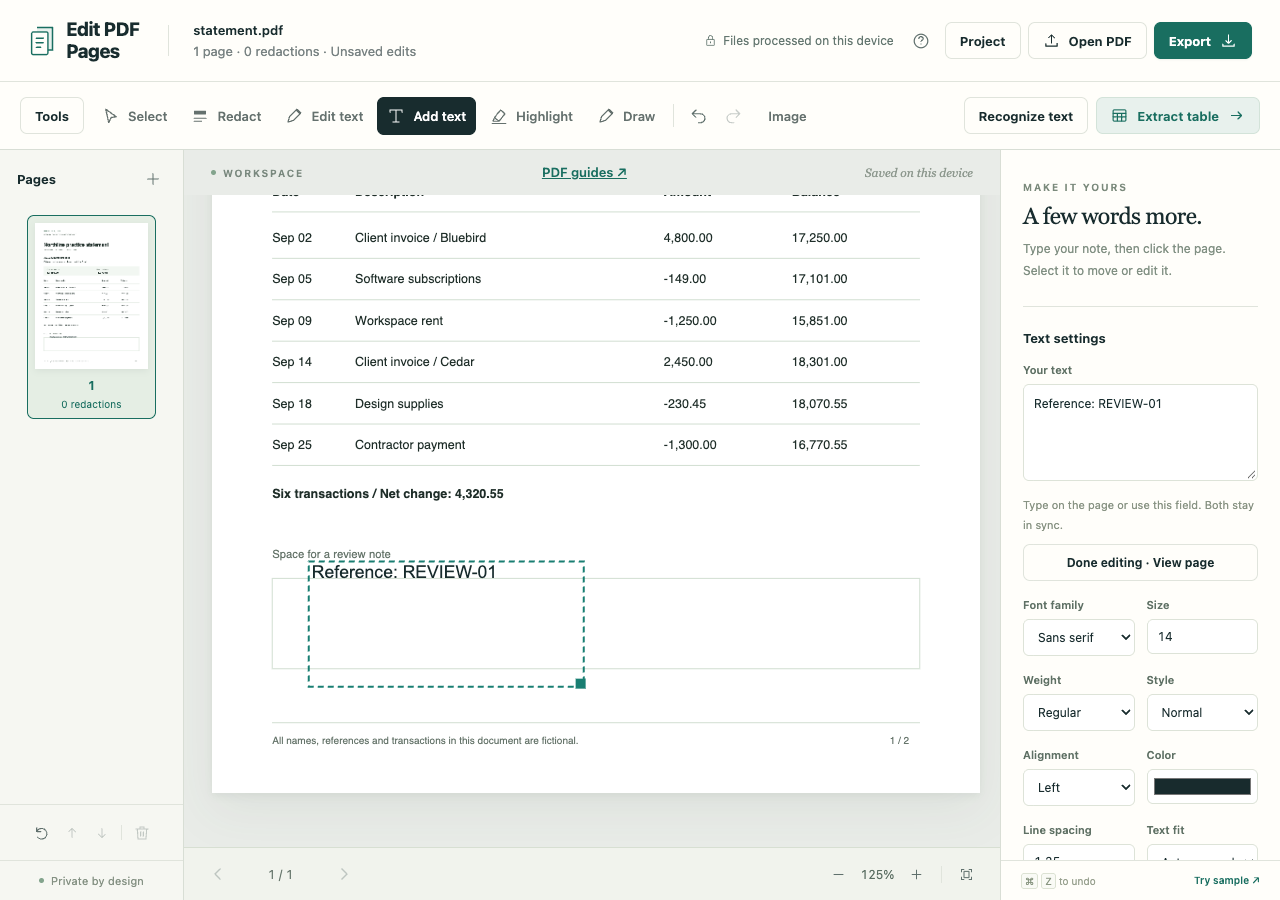
There is room below the statement for a reference label. Place a text box there and export it as selectable text, leaving the original wording in place.
Open the fictional sample statement in the PDF workspace. The label for this exercise is Reference: REVIEW-01.
Place the label in clear space
Choose Add text and enter the label in Text to add. Pick a font family and size, then click the blank area below the existing content. A text box appears where you clicked.
Choose Select to move the box. Drag its lower-right corner to resize it, or use Text settings while it is selected to adjust size, color, alignment and line spacing. Choose Done editing · View page to inspect it without the editing controls.
Make room before making the text smaller
A longer note may need a wider or taller box, or an explicit paragraph break. The surrounding PDF content stays where it is, so check that the note has not covered a line or border.
If an overflow warning appears, enlarge the box or choose Shrink to fit. Export stays blocked while text exceeds its box. After shrinking, check readability at the size someone will actually view or print.
Find REVIEW-01 in the exported PDF
Choose Export, set the format to PDF and Output mode to Preserve PDF structure, then choose Create PDF. Ordinary text additions retain the source text and graphics and add the label as selectable text.
Open the download, look for the label below the statement and select or search for REVIEW-01. New native text uses standard PDF fonts. Unsupported characters produce an export error; image-only export is an alternative if the browser displays those characters correctly.
A redaction or replacement elsewhere in the workspace forces Sanitized image-only PDF, making the label part of the page image too. For another format, PNG or JPG export includes the visible added label.
Use Project → Download project if you expect to reposition or change the label later. That editable copy retains the original PDF; the PDF export is the finished document to pass on.