Conversion
Convert JPG and PNG images to PDF
Put photos, scans or project boards into a PDF in the right order. Preview each image and choose how it sits on the page.
or drop JPG or PNG images here
JPG or PNG · up to 10 MB and 24 megapixels per image · up to 200 pages and 120 MB of combined sources
Files stay on this device. No account required.
How to use this tool
Convert JPG and PNG images to PDF in three steps
Stage the images
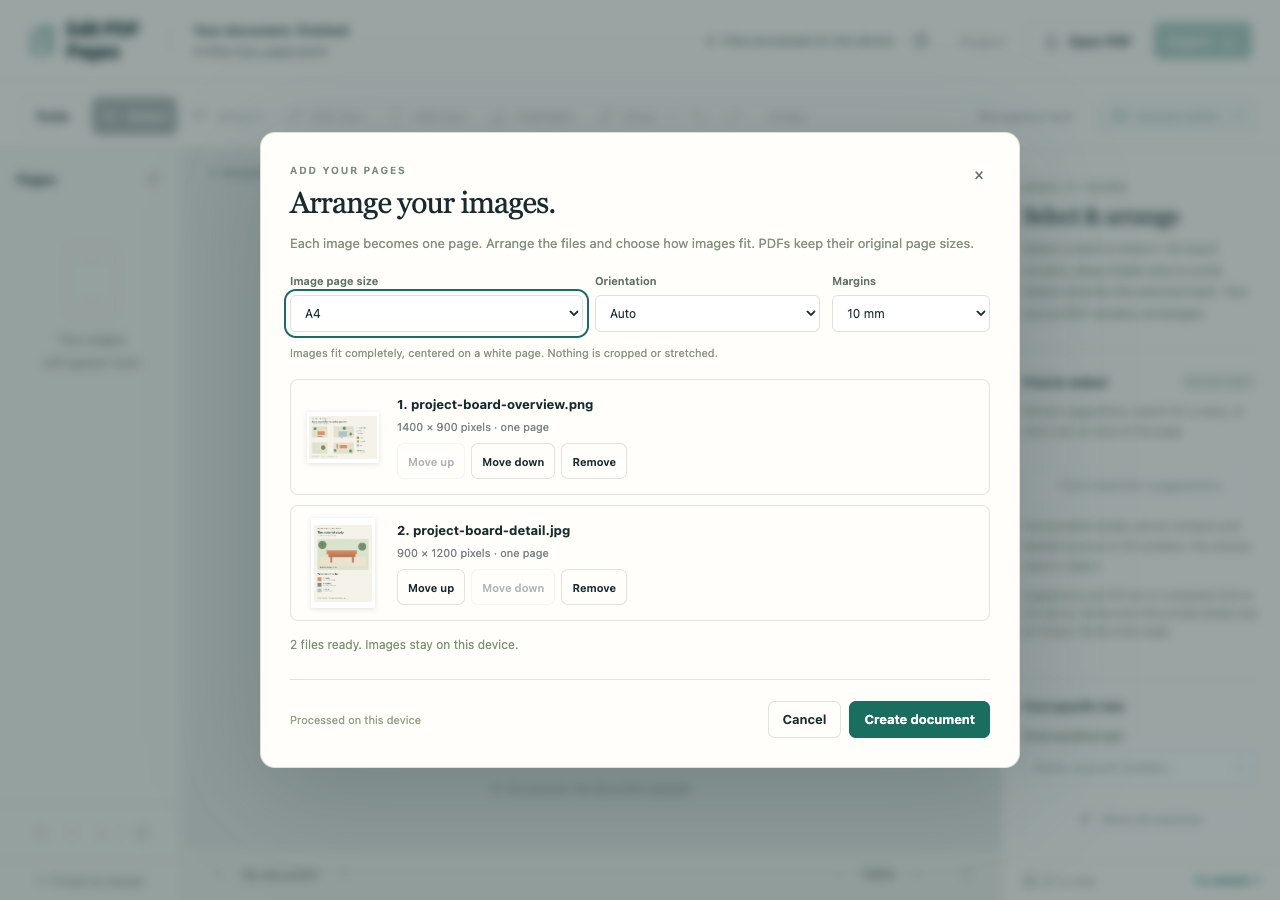
Choose your JPG and PNG files. Preview them, move images earlier or later and remove any you do not want.
Choose the page layout
Use Match image, A4 or Letter. Standard page sizes offer orientation and margins; each image is centered without stretching or cropping.
Create and download the PDF
Confirm the staged pages, then use Export to download the PDF. Check page orientation, order and margins in the result.
What to check before you share
- JPG and PNG are supported. Match image uses the displayed orientation, zero margins and an 11-inch long edge.
- A4 and Letter offer Auto, Portrait or Landscape and 0, 10 or 20 mm margins.
- Image pages do not become searchable automatically. Use English OCR afterward when the images contain text you need to search.