Pages
Merge PDFs and arrange their pages
Bring a report, appendix and supporting pages into one workspace. Check the order before exporting a single PDF.
or drop your PDFs here
Choose at least two PDFs · up to 60 MB per file · 120 MB combined and 200 pages
Files stay on this device. No account required.
How to use this tool
Merge PDFs and arrange their pages in three steps
Open the PDFs
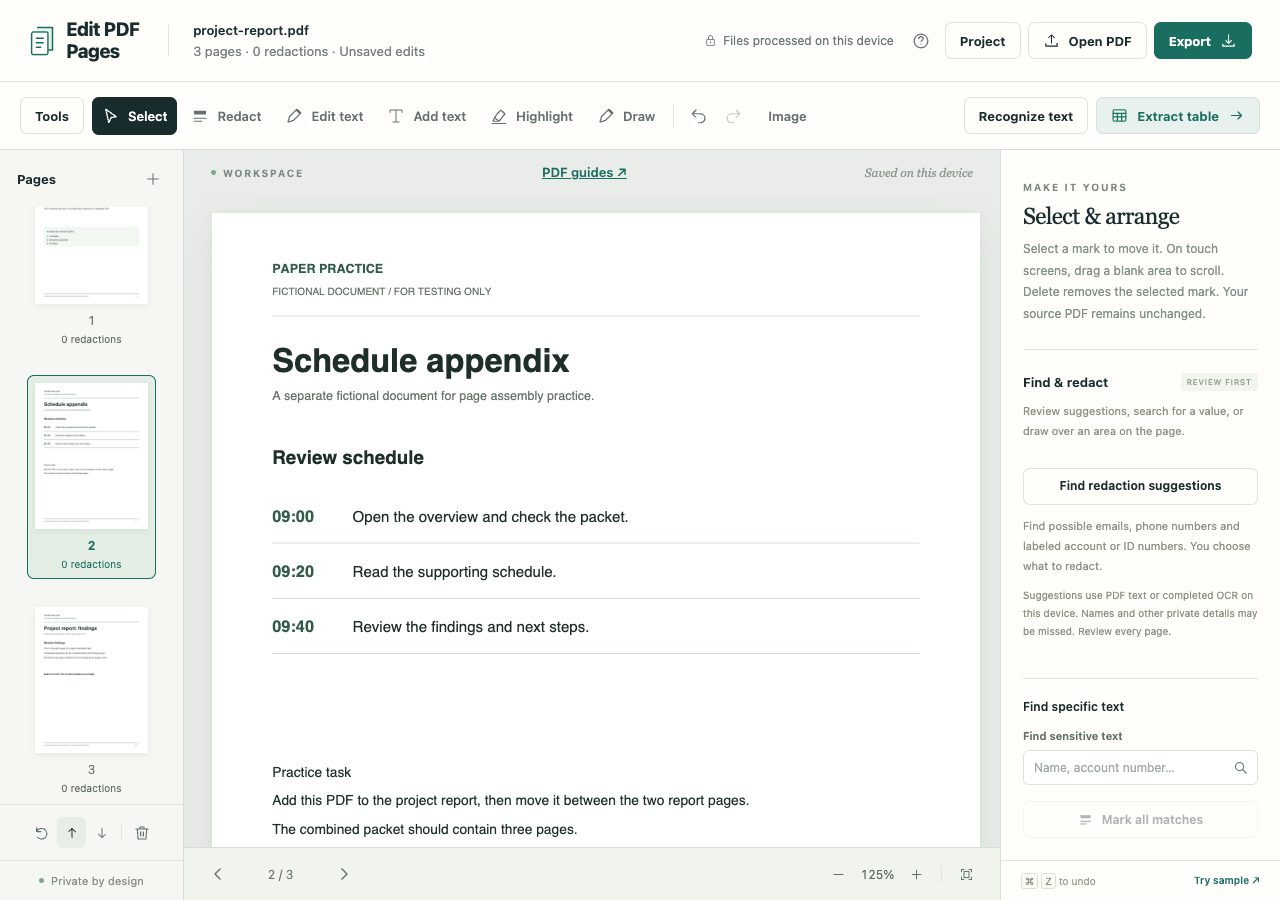
Choose the files to combine. Use Pages + if you need to append another PDF later.
Arrange the packet
Review the thumbnails. Move a selected page earlier or later, rotate it or remove a page you do not need.
Export one PDF
Choose Export and Preserve PDF structure for an ordinary packet. Reopen the download to check the page order and contents.
What to check before you share
- Multiple PDFs with interactive forms cannot currently be merged while preserving all forms. The app explains when sanitized output is needed.
- Preserved export can retain metadata and hidden content. Redactions or replacement edits require sanitized image-only output.
- Editing or combining signed PDFs may invalidate existing digital signatures.