Editing
Replace text in a PDF
Correct a reference or a short passage on a PDF page. A cover hides the original area and a new text box supplies the replacement.
or drop a PDF here
One PDF · up to 60 MB and 200 pages
Files stay on this device. No account required.
How to use this tool
Replace text in a PDF in three steps
Select the source text
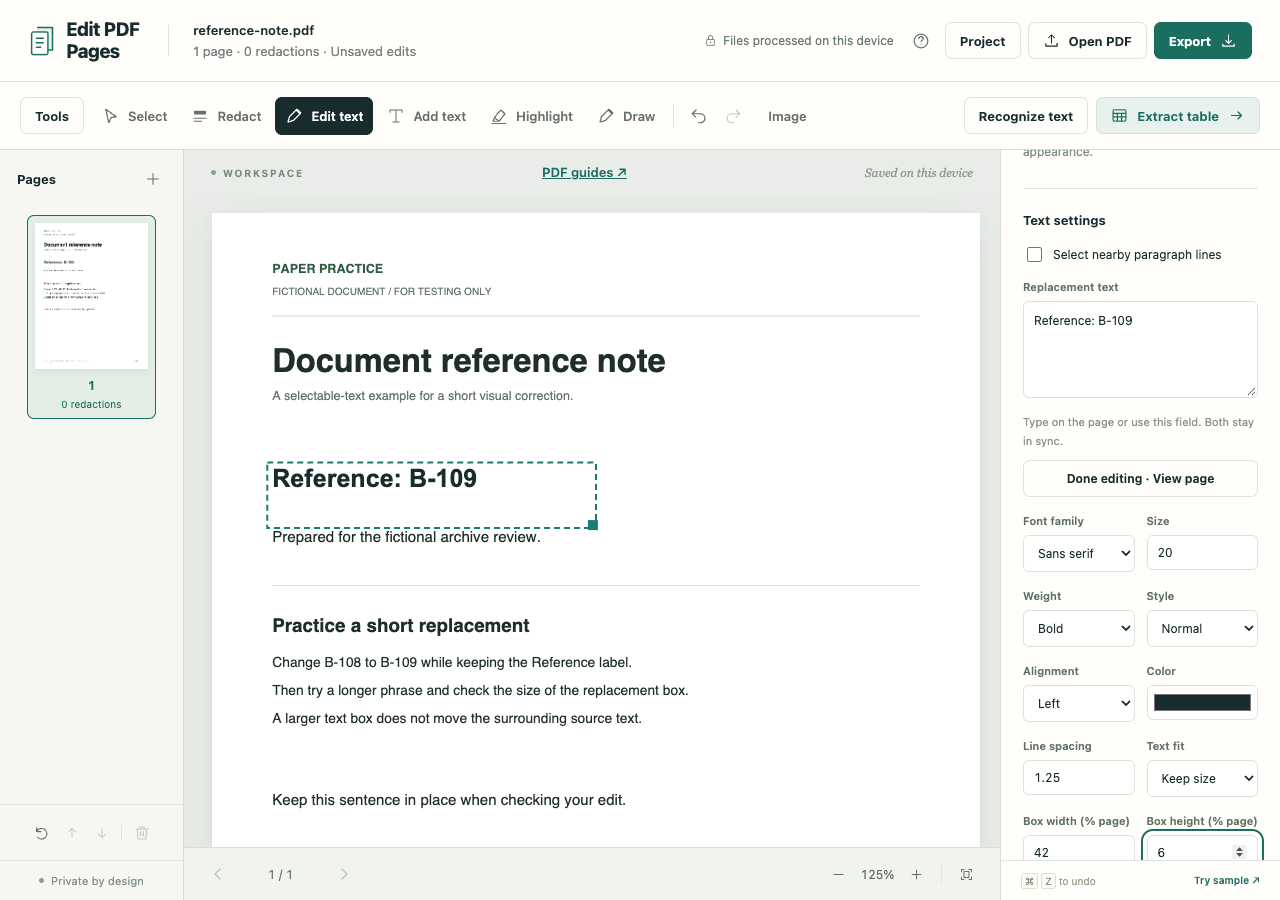
Open the PDF, choose Edit text and click a word or line. A scan may need English OCR first.
Make the correction fit
Type the replacement, then check its font, size and box. Expand or resize it where there is room and review nearby content.
Create the sharing copy
Export the required sanitized PDF and inspect the result. The downloaded pages are images without the original searchable text layer.
What to check before you share
- This is visual replacement, not arbitrary native PDF text editing. Font matching is approximate and surrounding paragraphs do not reflow.
- Longer replacements can overlap other content. Text that overflows its own box blocks export.
- Replacement edits require image-only output. Keep a .folio project only as an editable backup; it contains the original file.